How to use a promo code
Codes go in at Amazon checkout, not on the product page. Three taps and the discount is on.
1
Tap the promo code link
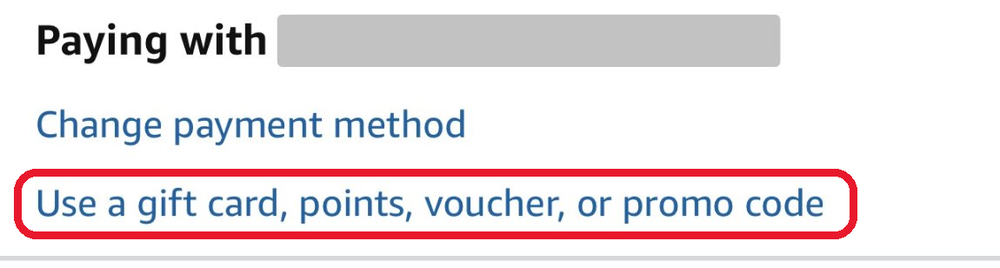
On the Place Your Order page, look under your payment method for “Use a gift card, points, voucher, or promo code”.
2
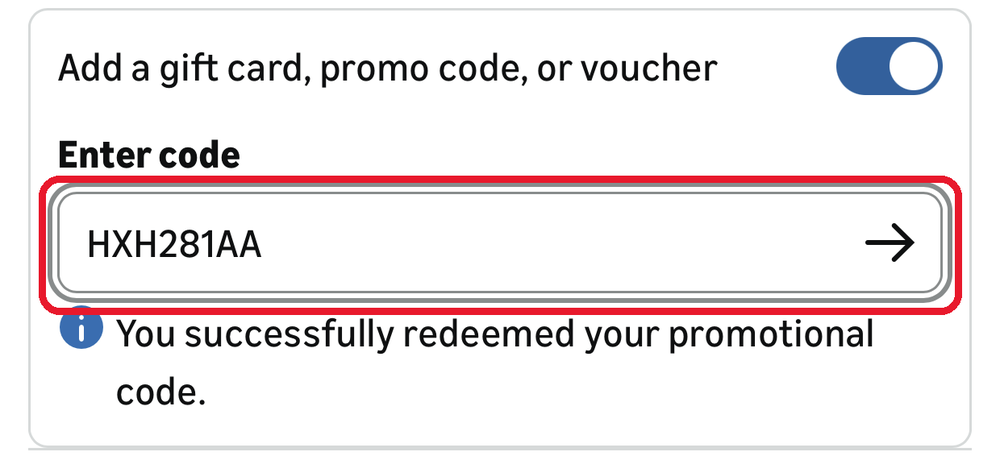
Paste the code and tap the arrow
Paste it under “Enter code”. When it works you will see “You successfully redeemed your promotional code.” Then tap Continue.
3
Check the discount before you order
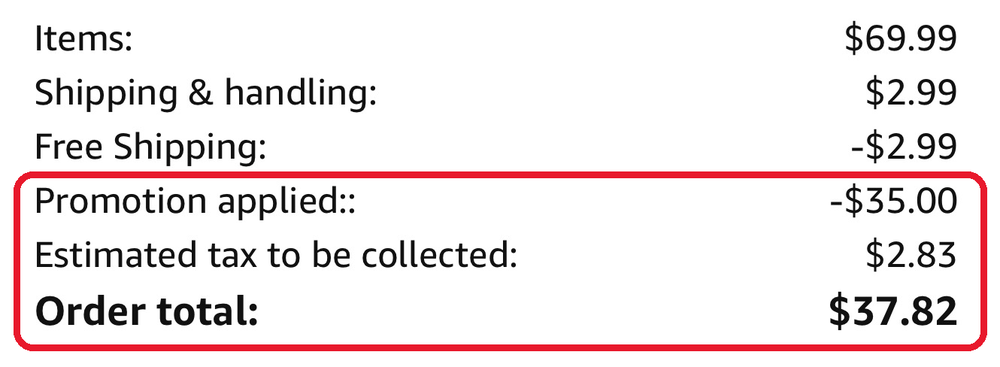
Look for “Promotion applied” and a lower order total. If you don’t see it, the code did not go through.
Code not working?
- Some codes only work on one color or size. Check the deal title.
- If the deal says “Clip coupon”, there is no code. Tick the coupon box on the product page.
- Codes expire and can run out early. Check the tag on the deal.